Device Actions
AppForceps does more than edit container contents; it acts on the device itself. Commands you would otherwise retype for every check can be saved and fired with one click.
Deep links
Save the URLs you use often and open them with one click. Custom schemes and universal links work the same way.
- Works with the iOS Simulator, physical iOS devices, and Android.
- Write a placeholder such as {ID} in the URL and AppForceps asks for the value when sending, so one URL can carry a different value each time.
- Universal links (https) need associated domains and an AASA file on the app side. Without them Safari simply opens, while sending still succeeds.
Push notifications
Save APNs payloads and send them with one click. There are two routes, depending on the destination.
- Sends directly to the iOS Simulator. Physical devices and Android are reached through Firebase Cloud Messaging.
- Payloads are validated both when saved and when sent, so a malformed payload never gets as far as the device.
- If the app has not been granted notification permission, sending succeeds but nothing appears. The sender cannot detect this, so the UI states it explicitly.
- Firebase Cloud Messaging credentials and registration tokens are never stored in the shared file; they stay in per-machine settings.
Sharing presets
- The location is configurable. Point it at a path inside your repository and a team can share it.
- Payloads are stored as JSON objects, so git diffs stay readable.
- Presets can be scoped per app, so one file can hold entries for several apps.
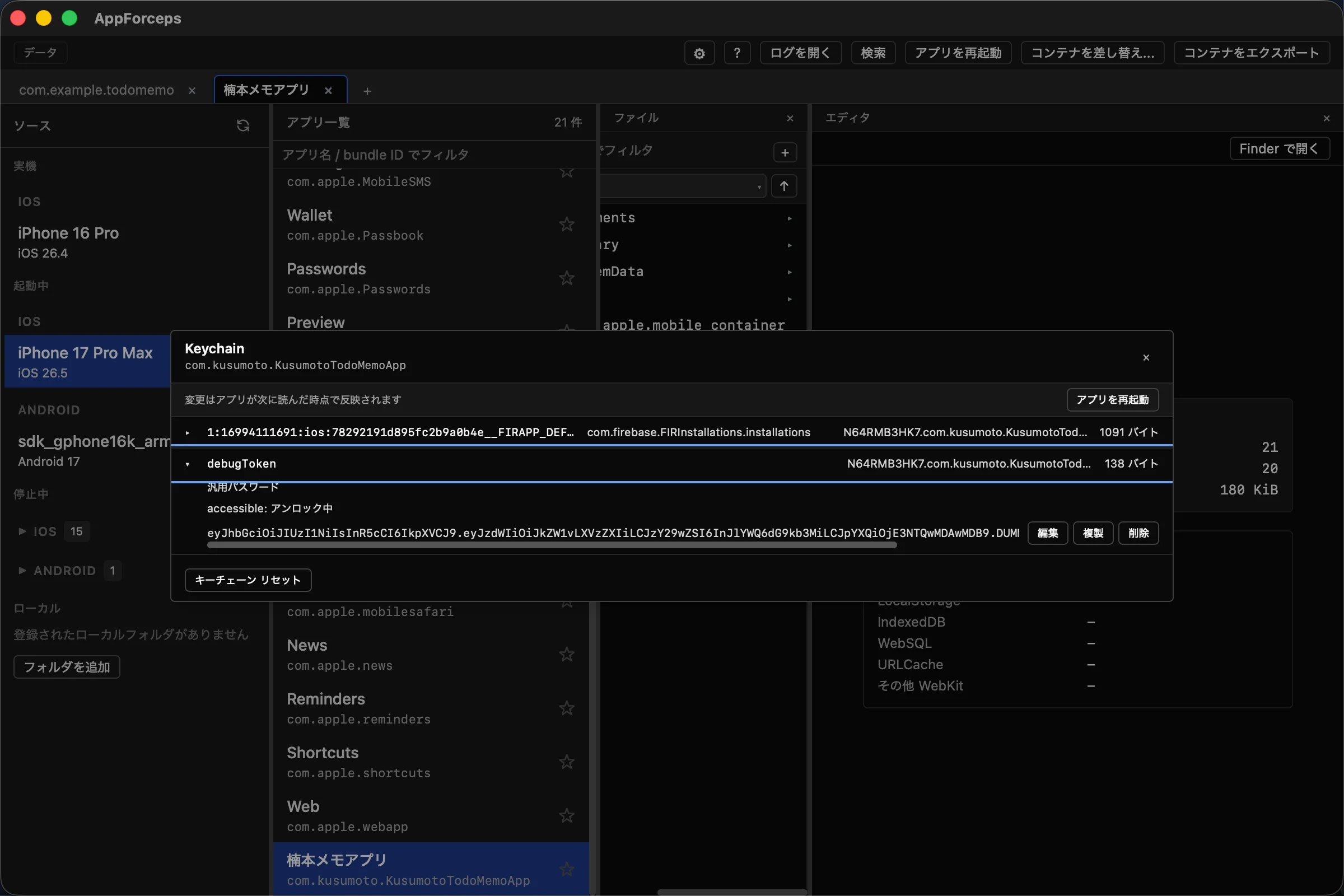
Keychain
List and edit the Keychain items an app in the Simulator has saved. You see exactly what the app itself would read.
- The app must be running. Restart it once after enabling this.
- Only the value and accessible are editable. Other apps' Keychain items, and anything outside the target app's access group, stay invisible.
- Values that decode as UTF-8 are shown and edited as text; anything else falls back to a hex dump, so binary data cannot be corrupted by editing it as mojibake.
- Changes can be rolled back. Note that an app holding the value in memory will not notice until it reads again.
Camera
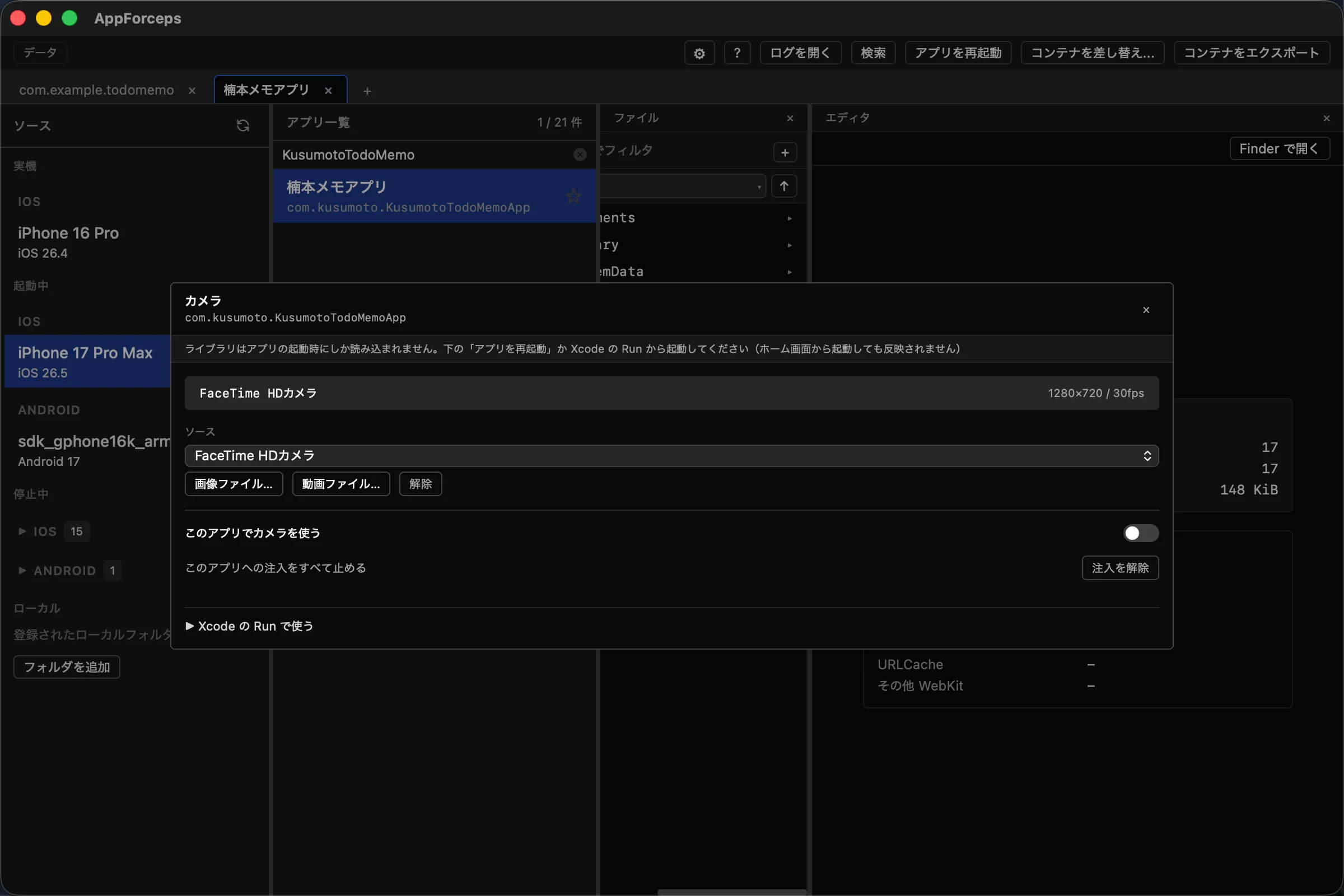
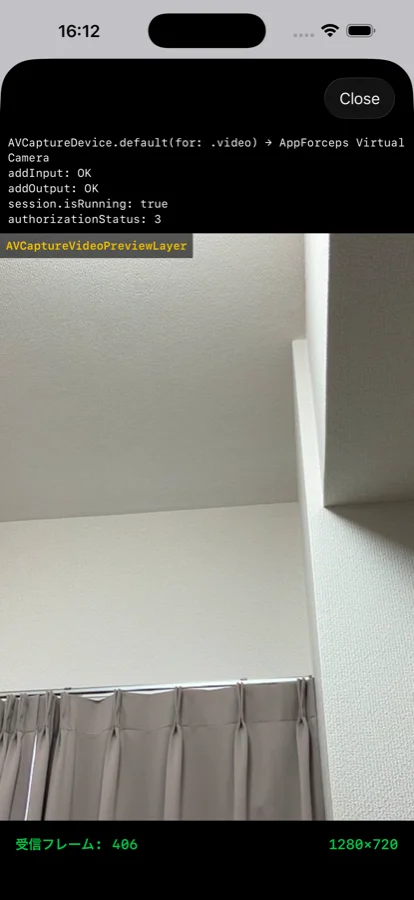
The Simulator has no real camera, so screens that involve capture cannot be checked as-is. AppForceps presents video from the Mac as the Simulator's camera.
- The video source can be a Mac camera, an image file, or a video file.
- QR codes, barcodes, and faces are detected on the Mac side and the results are delivered to the app.
- Android emulators are supported too; the change takes effect at the next launch.
Privacy permissions
Toggle permissions such as photos and microphone without operating the app. Useful when checking screens while moving between the granted and not-yet-granted states.
Permissions you can toggle on the iOS Simulator
- Camera is the one permission that cannot be toggled, because iOS does not expose it.
- On Android, only the permissions the app actually requests are listed. Permissions it has not requested cannot be granted.
Crash reports
Narrows crash logs (.ips) for the selected app, newest first. It only takes over the job of finding them among the DiagnosticReports of every process on the Mac; open the file itself in Xcode or another tool from Finder. **iOS Simulator only** — use Xcode's Devices window for physical devices, and logcat or a crash reporting service for Android.