FluffDrop
Overview
FluffDrop is a macOS menu bar app that lets you send files to your Mac from an iPhone or Android browser. No dedicated app is needed on the sending side, and as long as you are on the same Wi-Fi network you can transfer files with the same steps from iOS, Android, or a PC.
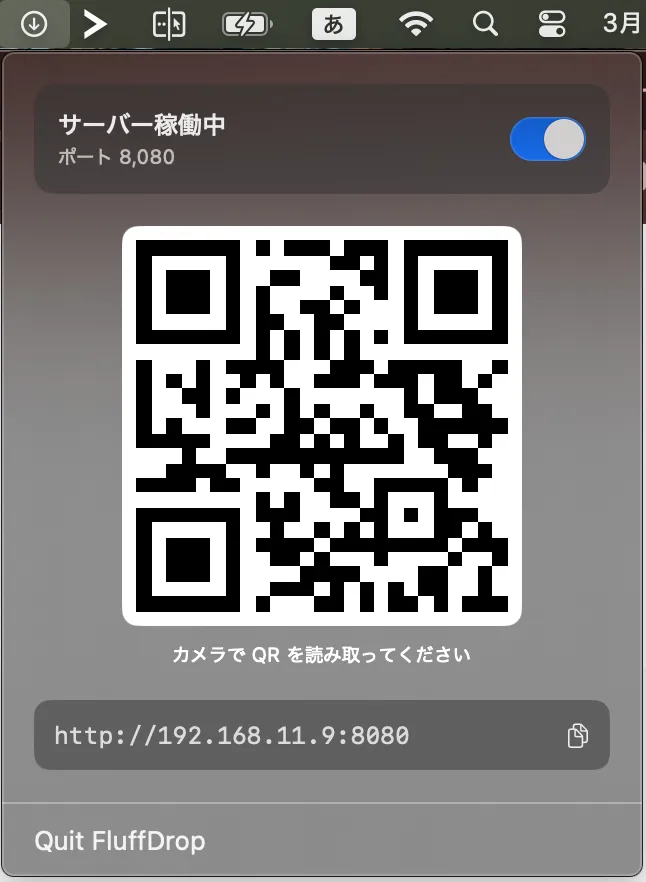
Your Mac starts an HTTP server and displays its address as a QR code. Scan it with your phone's camera, a browser opens, and all you have to do is pick a file and send it.
Key features
Connect instantly via QR code
Just scan the QR code shown on your Mac with your camera to connect. There is no need to type a URL by hand.
Send from the browser alone
No dedicated app to install on the sending side. Everything works with just the OS's built-in camera and browser.
Lives in the menu bar
Open the popover and start the server only when you need it. It stays out of your way while running in the background.
Receive notifications
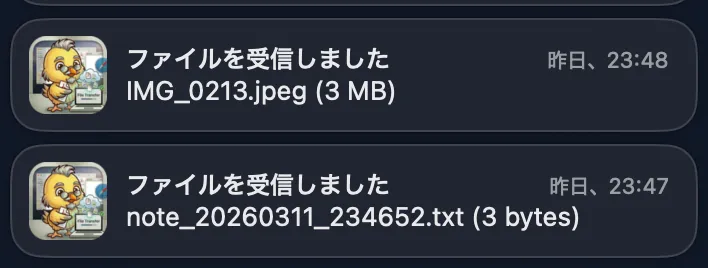
A macOS notification arrives when a file is received. Tap the notification to open the file in Finder.

Tapping the notification opens the popover, where you can allow or decline the transfer.
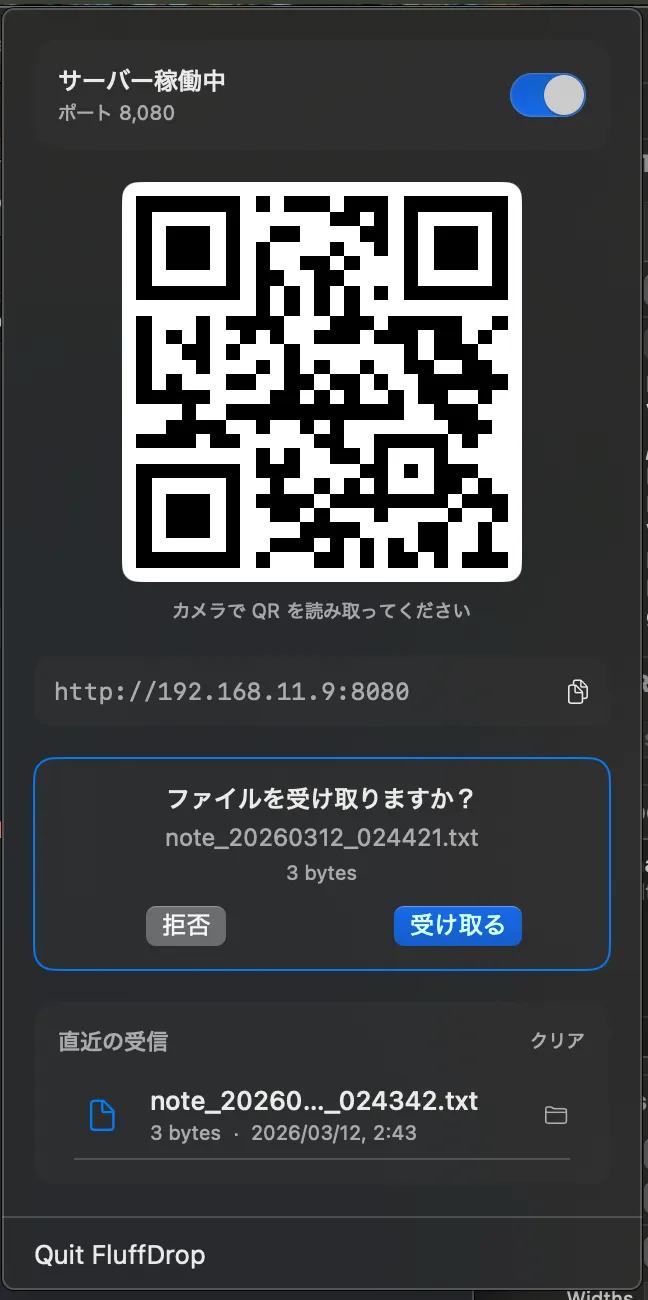
Once you accept, a macOS notification shows the file name and size. Tap the notification to open the file in Finder.
Installation
You can install it with Homebrew.
brew install --cask kusumotoa/tap/fluffdropExamples
For the background behind the project and how it works, see the following blog post.
-
I built a macOS app that transfers files from iOS/Android to a Mac using just a browser
A look at how combining an HTTP server with QR codes makes the sending side platform-independent