PortReaper
Overview
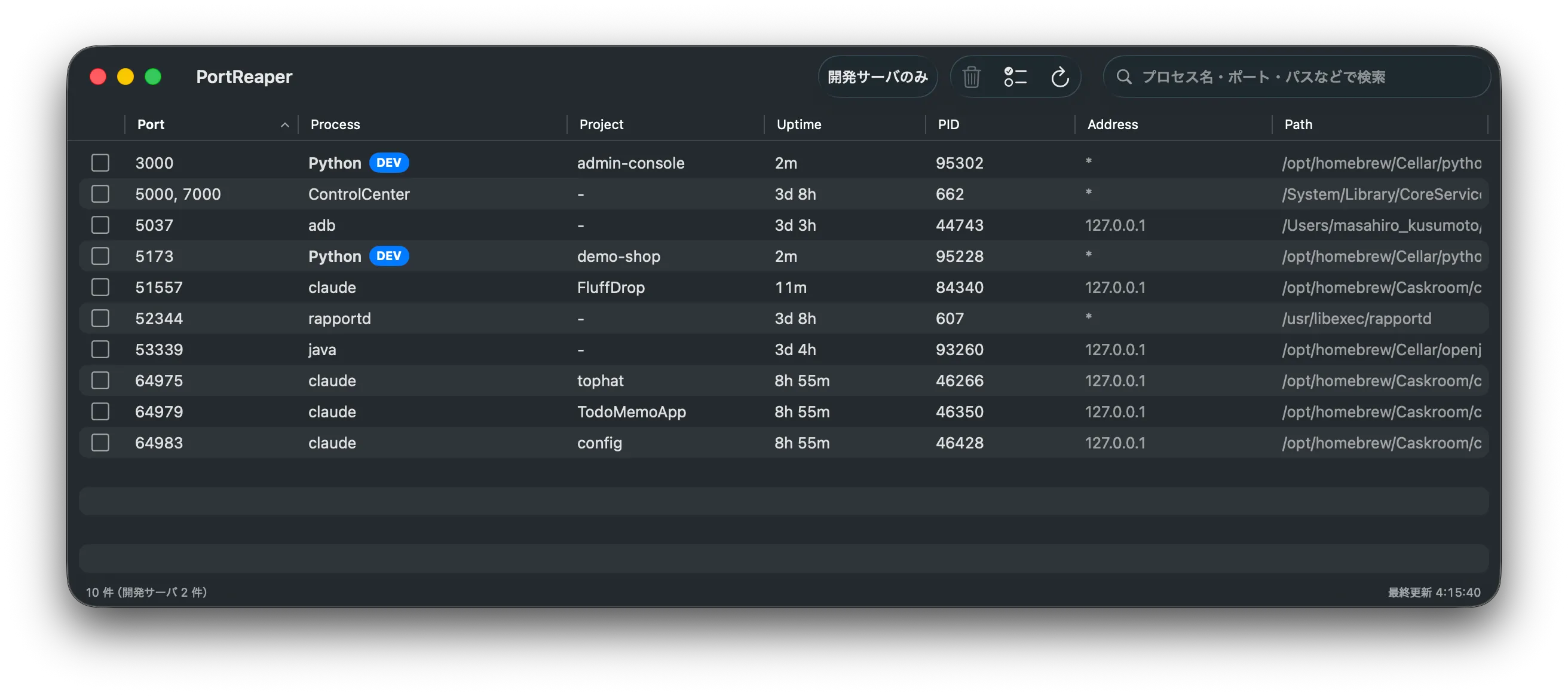
PortReaper is a macOS app that lists processes holding listening TCP ports and lets you terminate them. I built it for the situation where a vite, Rails, or Node.js dev server keeps running for days because you forgot to stop it.
Alongside the port number, it shows the process name, project name, uptime, and executable
path. The usual routine — read lsof -i
output, find the PID, pass it to kill
— happens on screen instead.
Features
Spots dev servers
Marks dev-server-like processes such as node, vite, and Rails with a DEV badge. General-purpose runtimes like java and python only qualify when their command line gives a reason.
Shows which project
Derives the project name from each process's working directory. When several node rows line up, you can tell which repository each server belongs to at a glance.
Sort by uptime
Uptime is a column you can sort on, so the longest-running processes come first. Forgotten servers pile up in the old rows.
Confirm before terminating
Sends SIGTERM after a confirmation dialog, then escalates to SIGKILL if the process is still alive three seconds later. You can also terminate several rows at once.
Check from the menu bar
The menu bar icon shows how many dev servers are running and when the next reminder fires. You can terminate them right there, without opening the list window.
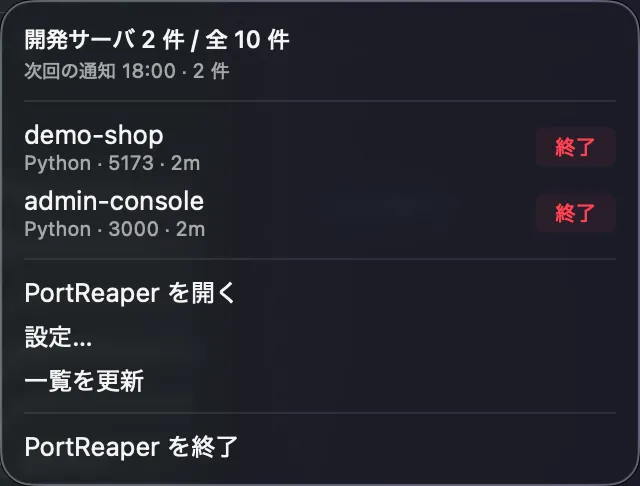
If dev servers are still running at the time you set, macOS notifies you. Servers you keep running on purpose can be excluded from the reminder.
Install
Install it with Homebrew.
brew install --cask kusumotoa/tap/portreaper